Voir nos cas clients
Allez plus loin avec nos ressources gratuites
La newsletter de Bulldozer
Êtes-vous prêt à accélérer ?


Effective Strategies to Improve Your Facebook Ads Conversion Rate
A Facebook conversion rate can go from 2% to 10%... without touching the budget. What makes the difference? Behavioral targeting, ad creatives, message visibility, and above all, consistency between the ad and what users see on your website or online store.
Don't panic if your Facebook ads are generating clicks without results: by adjusting your campaign settings, your target user profile, and your ad formats (stories, carousel, video…), you can get back on track.
👉 We show you step by step how to boost your results and promote your business more effectively on social media.

Understanding Your Facebook Ads Conversion Rate
What exactly is the Facebook Ads conversion rate?
The conversion rate on Facebook Ads is the proportion of people who take a specific action (purchase, sign-up, contact form…) after clicking on your ad.
The formula is simple:
➗ Conversion rate = (Number of conversions / Number of clicks) x 100
It's a fundamental KPI for measuring the real effectiveness of your campaigns: a good CTR without conversions is just smoke and mirrors. What counts is business impact.
Conversion Rate vs CTR, CPC, CPA: Don't Confuse the Metrics
Many marketers confuse conversion rate with other KPIs like CTR, CPC, or CPA. Yet each measures a different stage in the funnel.
1. KPI: CTR (Click-Through Rate)
Definition: Clicks ÷ Impressions
Objective: Measure the attractiveness of your ad.
2. KPI: CPC (Cost Per Click)
Definition: Total cost ÷ Clicks
Objective: Measure the cost of a click.
3. KPI: CPA (Cost Per Acquisition)
Definition: Total cost ÷ Conversions
Objective: Measure the cost of a conversion.
4. KPI: Conversion Rate
Definition: Conversions ÷ Clicks
Objective: Measure post-click effectiveness.
👉 The conversion rate is the missing piece if you want to know whether your clicks are actually worth something.
Why the Conversion Rate Is Crucial in B2B
In B2B, sales cycles are longer, audiences more targeted, and each lead costs you more. The Facebook Ads conversion rate therefore becomes the true profitability indicator.
- It tells you whether your targeting is on point.
- It shows whether your ad and your landing page tell the same story.
- It feeds your nurturing and ABM (Account-Based Marketing) strategies.
👉 In short: if you rely solely on CTR, you risk missing what really matters for your business.
2025 Benchmarks: Is Your Conversion Rate in Range?
The global average: 9.21%, but it's misleading
In 2025, the average conversion rate on Facebook Ads sits around 9.21% across all sectors (source: Wordstream). But beware: this figure can be very misleading.
It includes both highly-tuned B2C e-commerce campaigns… and B2B campaigns with long cycles and complex forms. In short, the average means little until you compare it to your own sector and conversion funnel.
Benchmarks by Sector: SaaS, Industry, B2B Services
Here are some average benchmarks observed in B2B on Facebook Ads (take with a grain of salt):
1. Sector: B2B SaaS
Average conversion rate: 3% to 6%.
2. Sector: Industry & manufacturing
Average conversion rate: 2% to 4%.
3. Sector: Professional services
Average conversion rate: 5% to 8%.
4. Sector: Training & education
Average conversion rate: 6% to 10%.
5. Sector: B2C e-commerce
Average conversion rate: 8% to 12%.
💡 The more technical or long-cycle your offer, the lower your rate may appear — without that being a failure.
Benchmark ≠ Goal: Always Contextualize Your Numbers
Comparing your conversion rate to your competitor's is useful, but not sufficient. Ask yourself instead:
- Does my offer require multiple touchpoints before converting?
- Is my conversion an immediate purchase or a contact request?
- Have I optimized my landing page or am I still using a generic one?
Your real benchmark is yourself. Track how your performance evolves over time, test, and iterate.
The 5 Levers That (Really) Make the Difference on Your Facebook Ads Conversions
A good conversion rate is never an accident. It depends on your ability to define the target audience, segment your messages effectively, and align online advertising, landing page, and offer. On a social network like Facebook, everything is connected: targeting, creative, page, and measurement.
1. Targeting Is the Foundation
No conversions without the right target audience. On Facebook advertising, the options are rich:
- Lookalike (similar audiences): ideal for scaling from your best customers.
- Retargeting: essential for recapturing undecided users or re-engaging abandoned carts.
- Smart exclusions: avoid wasting budget on people who have already converted.
💡 Tip: segment by demographic characteristics, interests, mobile vs desktop behaviors. When Facebook introduces new signals or placements, test them early.
2. Visuals and Message: The Ad That Grabs Attention (and Converts)
Your ad creative is the first filter. If it doesn't land, no one will click — let alone convert.
- Use visuals that capture attention in 1 second (adapted for mobile formats).
- Perfect your copywriting: talk about benefits, not features.
- Play on consistency between image, message, and promise.
👉 Use the creation tool in the ads manager to quickly produce format variations (image, video, carousel, stories). AI can accelerate creative variations.
3. The Landing Page: The Back-End Must Deliver
Even the best advertising campaign will fail if the landing page doesn't hold up.
- Maintain visual and verbal continuity with the ad.
- Display a clear, visible promise from the very first second.
- Fast loading, mobile-first design, visible social proof (logos, reviews, numbers…).
💬 Think ROI: if your cost per click rises but the page converts better, the return on investment remains positive.
4. The CTA: Small Button, Big Impact
An effective call to action = desire + direction + confidence.
- Replace vague CTAs with action verbs ("Download for free", "Book my demo").
- Test microcopy, placement, and color.
No vague "Learn more." Prefer:
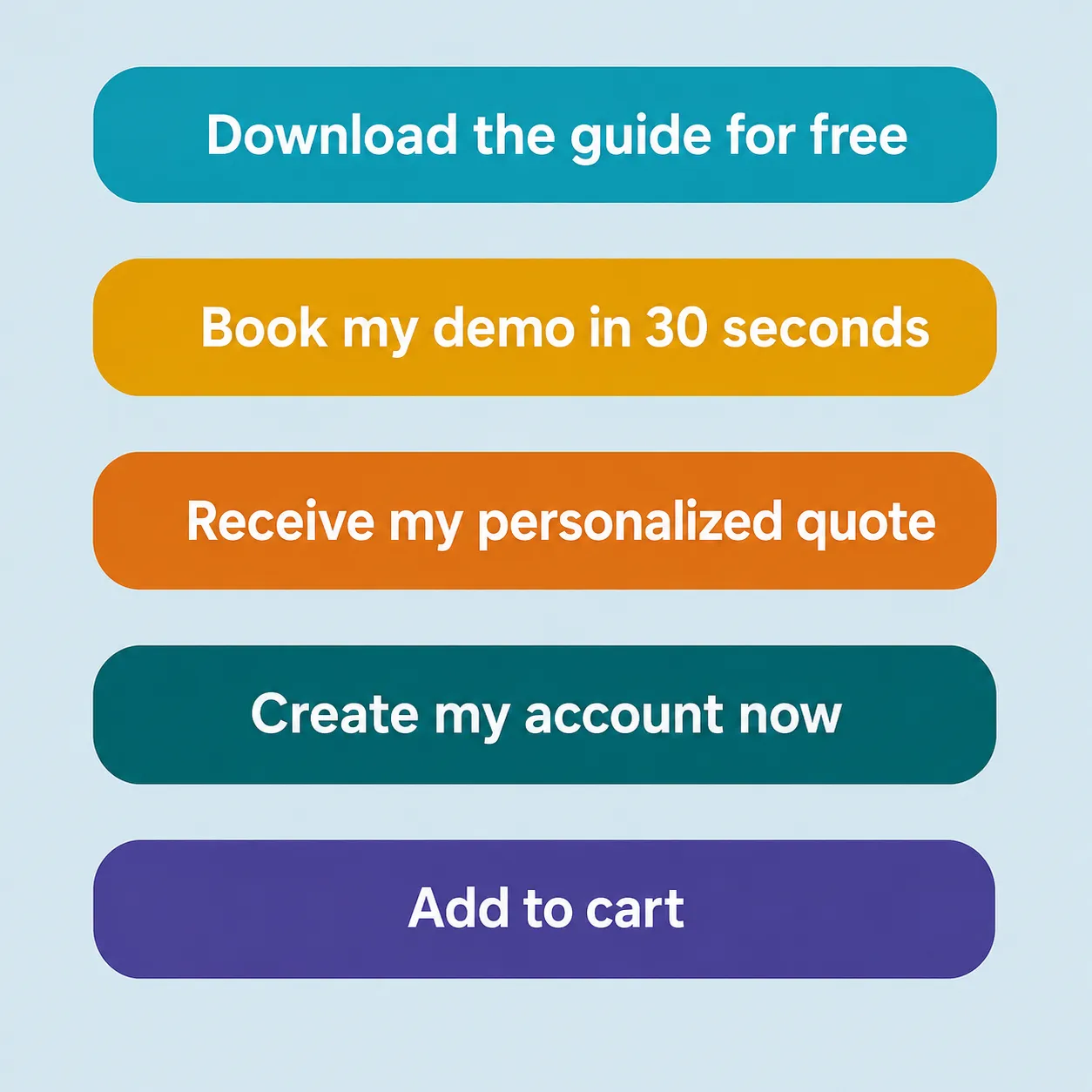
And test different formats! Even a simple change of verb can boost results by +20%.
5. Continuous Optimization: The Real Pro Game
Launching a campaign is good. Iterating continuously is where it all happens.
- Analyze delivery frequency to avoid ad fatigue.
- Monitor secondary KPIs: bounce rate, scroll depth on the landing page…
- Refresh your creatives regularly (every 2 to 3 weeks on average).
Simple process:
create an account → create a campaign → follow the steps to create ad sets → test audiences (targeted advertising) → iterate in the ad manager.
The Pixel + CAPI duo remains your best ally for data-driven management, not gut feeling.

How to Optimize Your Facebook Ads for More Conversions
You have the right ingredients — now it's time to run the recipe like a pro. The goal: turn your Facebook campaigns into a digital profitability engine, without blowing your advertising budget.
Here are the advanced settings and features to activate right now on your Business Manager account.
Activate the Facebook Pixel (and CAPI — seriously)
You can't improve what you don't measure. If you don't know what users do after clicking on your ad, you're flying blind.
- The Facebook Pixel allows you to track conversions in real time, feed the algorithm, and create highly targeted custom audiences.
- The Conversion API (CAPI) bypasses browser restrictions (adblockers, iOS, privacy rules) by directly connecting your server data to the Facebook platform.
The ideal approach is to use both. It's the foundation of reliable tracking and intelligent optimization.
Actually Test Your Creatives with A/B Tests
A good A/B test is like a lab for understanding what makes people click, scroll, or convert. No need for big budgets: the key is to test one parameter at a time.
🎯 Example tests:
- Product visual vs customer review as image
- Informational text vs emotion-driven copy
- Classic CTA ("Learn more") vs incentive CTA ("Book my demo in 30 sec")
- Mobile story format vs classic square image
- Lookalike audience vs behavioral segmentation
Minimum recommended duration: 3 to 5 days, depending on your audience size and ad format.
Run Smart Remarketing (Not Just Automated)
Most users won't buy or sign up on first contact. That's where remarketing comes in to build recurring exposure and increase brand awareness.
- Hot leads: re-engage those who visited your page but didn't convert.
- Warm leads: target those who interacted with your ads or page but never clicked through.
- Cold leads: test progressive sequences (engagement → content → conversion); send them content or proof first before pushing to action.
Repetition builds trust. And trust builds conversions.
Advanced Tactics: Level Up
A few often underused techniques that make a real difference:
- Exclude recent buyers from your targeting to avoid wasting budget.
- Exclude certain conversions (e.g., low-quality, unqualified leads) to refine algorithm optimization.
- Duplicate your winning campaigns and test other audiences (horizontal scaling).
- Vary your formats (carousel, collection, video…) to avoid ad fatigue.
Real Cases and Common Mistakes: What Works (and What Doesn't)
Theory is fine. But nothing beats a good before/after to see the real impact of optimizations. And above all: know the common mistakes to avoid them from the start.
✅ Case #1: A B2B SaaS goes from 2.3% to 6.7% conversion
Initial issues:
- Visual too generic
- Targeting too broad (vague interests)
- Confusing landing page, no clear promise
Optimizations implemented:
- Creative with product screenshot + "solution to a problem" message
- Lookalike audience based on existing customers
- Simplified landing page with a single objective: "Request a demo"
Result:
+191% conversions, CPL divided by 2.5
✅ Case #2: Consulting firm — the "recycling" effect corrected
Issue:
- Campaign running for 3 months with the same visual
- Decent click rate, but conversions in free fall
- No audience exclusion (targeting already-acquired customers…)
Optimizations:
- New visuals focused on concrete benefits + testimonials
- Frequency monitored to limit ad fatigue
- Existing customers excluded via synchronized CRM database
Result:
Stable conversion rate back to 5.9%, CPA down 38%
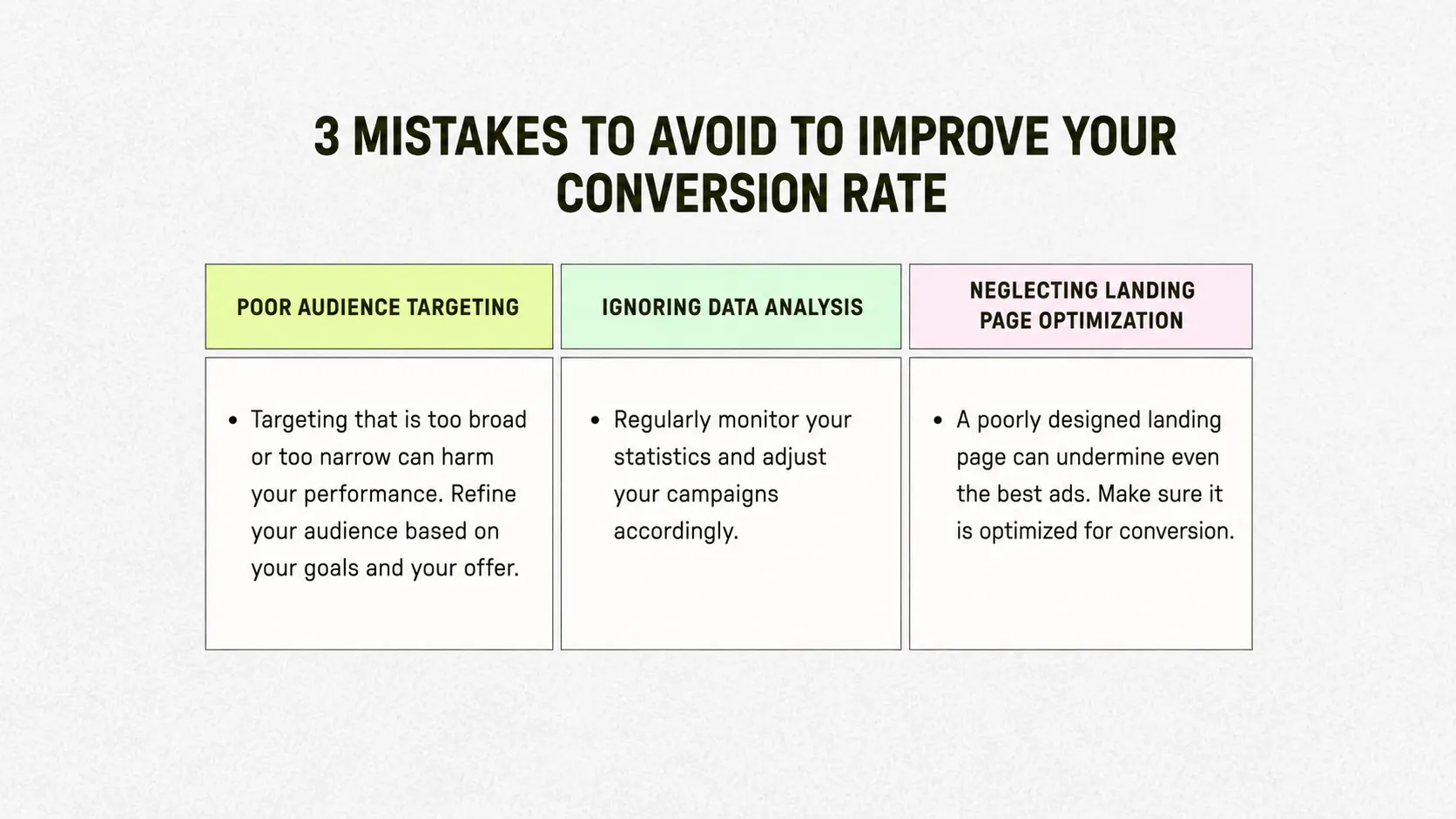
❌ The 3 Mistakes We See All the Time (and That Kill Your Conversions)
- Targeting too narrow or too broad
- → You're talking to everyone… which means no one.
- Ads left too long without rotation
- → Visual fatigue, "been there, done that" effect, engagement collapses.
- Facebook Pixel poorly installed or unverified
- → Biased data = poorly optimized campaigns = money thrown out the window.
Tips to Keep Your Campaigns Fresh and High-Performing
- Change your creatives every 2 to 4 weeks (depending on frequency)
- Test your landing pages as much as your ads
- Maintain strong consistency between the ad and the page's promise
- Set up an optimization calendar: analyze, test, adjust every week
CMO Toolbox: The Right Tools to Manage Your Facebook Ads
A good conversion rate doesn't fall from the sky. You need to measure, understand, and adjust continuously. Here's a selection of essential tools to track your performance, identify what's blocking, and stay one step ahead.
Performance Tracking: Must-Know Analytics Tools
- Meta Ads Manager: the baseline. Lets you track impressions, CTR, CPA, conversion rate… but remains limited on post-click behavior.
- Google Analytics 4 (GA4): to understand what visitors do after clicking. Ideal for analyzing the full conversion funnel.
- Hotjar / Microsoft Clarity / Matomo: record user sessions, analyze scrolls and clicks. Perfect for identifying what's blocking on your landing pages.
💡 Tip: connect the Facebook pixel to GA4 for a more granular view of multi-source conversions.
Spy on Your Competitors (Legally)
- Meta Ads Library: a free tool that lets you see all active ads from your competitors on Facebook and Instagram. Extremely useful for inspiration or positioning.
- BigSpy / AdSpy / PowerAdSpy: freemium platforms that aggregate creatives by sector, format, or keyword. Ideal for seeing what's trending in your niche.
Keep an eye on what the best are doing. Not to copy, but to understand what works in your vertical.
✅ Monthly Checklist: The 7 Points to Check Every Month
- Are your creatives older than 3 weeks? If so, refresh them.
- Does average frequency exceed 2? Danger of ad fatigue.
- Is the conversion rate declining? Analyze the landing page.
- Are the pixel and CAPI properly connected?
- Are your exclusions still up to date (customers, already-converted leads…)?
- Are A/B tests currently running? If not, launch one.
- Are remarketing campaigns outperforming acquisition ones?
Good tracking = decisions based on data, not instinct. A growth methodology, in short!
A good conversion rate comes down to precise targeting, impactful visuals, a landing page that delivers on its promises… and continuous optimization.
Test. Analyze. Adjust. Stop wasting your budget. Switch to growth mode.
.avif)